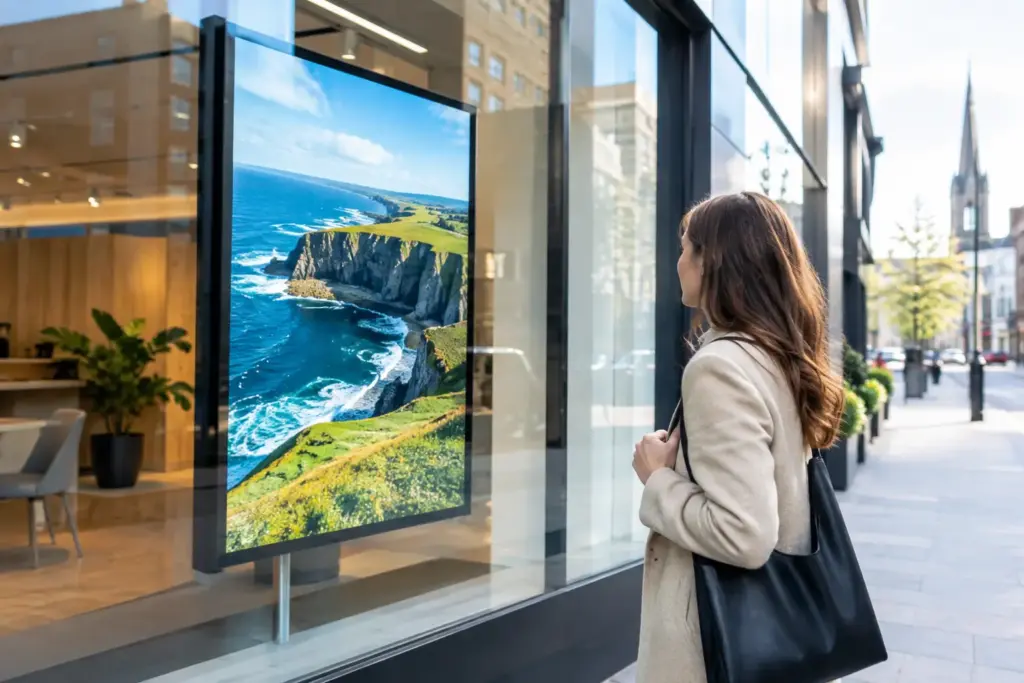
A screen behind glass has one job that matters before any other: it must be readable by people who are walking past. Window facing digital signage displays Ireland businesses install can turn unused frontage into a controlled communications channel, but only when the display, location, content and support model are planned together. A standard indoor screen placed in a sunny window often produces a disappointing result – glare, washed-out visuals and messages that cannot be read from the pavement.
For corporate estates, hospitality groups, education providers and multi-site operators, the question is not simply which screen to buy. It is how to run a visible, secure and manageable display estate without creating another disconnected technology problem.
What a window display needs to do
Window-facing signage is designed for a difficult environment. Ambient light changes throughout the day, reflections vary with the street scene, and viewing time is usually brief. The display must therefore be selected for the actual placement, not a showroom demonstration or a specification copied from an internal meeting room.
Start with the direction of the window, the depth of the recess, direct sunlight at different times of year and the likely distance of viewers. A screen that works well behind north-facing glass may not be appropriate for a south-facing façade. Brightness is a key consideration, but it is not the only one. Glare control, heat management, viewing angles, mounting, power, network access and the ability to service the installation all affect whether the display remains usable.
There is also a commercial decision to make. Some locations need promotional messaging from morning to evening. Others may be better served by scheduled content at peak footfall, which can reduce operating hours and content management effort. The right approach depends on the site, opening pattern and value of the message being shown.
Window Facing Digital Signage Displays Ireland: choosing the right approach
A window display can be an all-in-one commercial signage screen, a professional panel paired with an external media player, or part of a wider digital signage deployment. Each model has advantages, but buyers should assess the ownership model as carefully as the hardware.
An integrated screen can reduce visible equipment and simplify a smaller deployment. A separate player may provide more flexibility where a business needs a standardised operating environment, specialised content playback or a consistent player specification across several countries. Neither is automatically better. What matters is whether the design supports the content, network, security controls and support process your organisation expects.
For a single reception or street-facing location, a focused installation may be appropriate. For an operator with multiple Irish and international sites, standardisation becomes more valuable. Consistent screen types, approved mounting methods, documented network configuration and a central content platform make future changes easier to govern.
WestTech can scope commercial digital signage screens around the environment and operational objective, rather than treating every frontage as an identical screen purchase. That is particularly useful where signage forms part of a wider office fitout involving structured cabling, Wi-Fi, switching, meeting rooms and end-user technology.
Do not judge displays by brightness alone
High brightness may be necessary for a bright window, but it brings practical considerations. More light output can mean greater power demand and heat, so ventilation, mounting position and the surrounding enclosure must be considered. Screen orientation also matters. Portrait layouts can suit campaign-led creative, while landscape layouts may better accommodate wayfinding, video or a familiar corporate content format.
Ask suppliers to assess the proposed location or work from clear site information, including photographs, dimensions and daylight conditions. Where the installation is significant, a site survey provides a stronger basis for specifying hardware, containment, connectivity and installation access.
Content has to earn a few seconds of attention
The strongest window content is rarely a compressed version of a website or presentation. It gives people one clear reason to stop, remember or act. That might be a current offer, event message, service announcement, vacancy campaign, brand story or directional notice.
Design for distance first. Use large type, high contrast and limited copy. Avoid placing vital text near screen edges, where mounting frames or reflections may reduce visibility. Fast-moving content can look energetic indoors but become difficult to follow from the street. A restrained sequence with a clear message is usually more effective.
For example, an illustrative hospitality workflow might schedule breakfast, lunch and evening creative by time of day, while reserving space for venue notices. A restaurant group may use digital menu boards for menu presentation, but ordering, point-of-sale and payment integrations are separate requirements that need to be scoped rather than assumed.
Content governance is equally important in corporate settings. Decide who can publish, who approves campaigns, how brand templates are controlled and what happens when an urgent message needs to replace planned content. If agencies, local site teams and head office all contribute, permission levels and an approval process prevent accidental or unsuitable publication.
Treat the signage platform as part of your IT estate
Digital signage software should allow authorised teams to schedule, publish and monitor content without handing credentials around by email. For multi-site use, central management, location-specific permissions and proof that players are online can materially reduce administration.
The signage network needs the same practical discipline as other connected devices. Determine whether players sit on a segregated network, how remote access is controlled, what accounts are used, how software updates are handled and who owns incident response. Where corporate content or customer-facing messaging is involved, unmanaged media players should not become a blind spot.
This is where service ownership matters. A facilities team may own the message and physical location, while IT owns connectivity, identity, cyber controls and device standards. Construction or workplace teams may manage the fitout phase. Define the handover between these groups before installation, including asset records, warranties, escalation routes and the support boundary.
WestTech-branded signage software can provide a managed publishing environment for organisations that want consistent control across locations. The supporting service can be agreed around the project, whether that is initial design and deployment, a defined support arrangement or integration with an existing IT operations model. Onsite engineering availability and coverage should always be agreed per location and engagement.
Plan installation before the screen arrives
The most avoidable signage delays are usually not software problems. They are missing power, inadequate cable routes, unsuitable mounting surfaces, absent network ports or restricted access to the window area. These requirements should be captured during design, particularly in occupied offices, retail environments, campuses and hospitality venues where installation work must fit around trading or building operations.
A practical project plan should address the following four areas:
- the final screen position, mounting method, structural responsibility and safe maintenance access;
- power, network cabling, Wi-Fi suitability where relevant and cable containment;
- content ownership, launch content, publishing permissions and emergency-message procedure; and
- acceptance testing, asset documentation, user training and support escalation.
For international programmes, local procurement, building rules, language variants and installation partners can alter the rollout plan. A central standard with site-specific validation is normally more reliable than assuming every location can accept the same design unchanged.
When window signage should connect to a wider project
A window display is often the visible element of a broader workplace or customer-experience investment. It can sit alongside reception displays, boardroom screens, video conferencing equipment and digital whiteboards for schools or training environments. Bringing these requirements into one project can simplify cabling, network design, standards and accountability, provided each use case remains clear.
WestTech has delivered technology projects for organisations including TestMu AI, Hoshi International, Dymon Asia Capital, Veterinary Specialists Ireland, Lisbon Airport and Savills. That experience informs a practical view of deployment: the display is only one component. The physical environment, underlying infrastructure, governance and ongoing ownership determine whether the solution remains reliable after launch.
Start with a site and ownership review
If you are evaluating a new frontage display or standardising signage across sites, begin with a project enquiry that covers the business objective, proposed locations, visibility conditions, content workflow and IT requirements. WestTech can help define the appropriate window-display approach, supporting infrastructure and management model before procurement commits you to the wrong format.
A well-planned window display should feel simple to the person passing by and equally straightforward for the team responsible for it. That simplicity is designed into the project long before the first message appears behind the glass.
