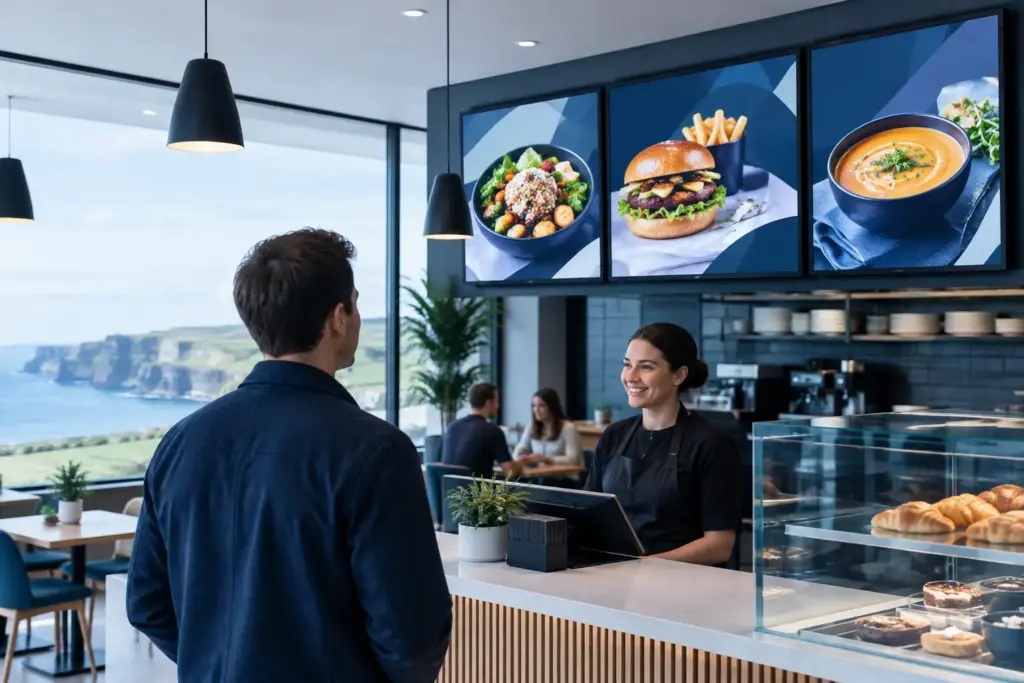
The lunch queue is forming, a key item has sold out and one branch is still showing yesterday’s promotion. This is the operating problem digital menu boards for restaurants in Ireland are intended to solve. For restaurant groups, hotels, contract caterers and food-to-go operators, the value is not simply a brighter screen. It is controlled, timely communication across locations without relying on printed inserts, manual swaps or inconsistent local updates.
The buyer question is straightforward: can a digital menu deployment improve menu control without creating another unsupported technology estate? The answer depends on how the screens, content workflow, network and ownership model are planned from the outset.
What a restaurant menu board needs to achieve
A menu board must be clear at the point of decision. Customers need to see the offer, price, modifiers and allergen signposting quickly, often from a distance and in changing light. Operations teams need the ability to adjust content when availability, promotions or dayparts change. Finance and procurement teams need confidence that the estate can be governed, maintained and expanded without repeated one-off purchases.
These needs can pull in different directions. A highly animated layout may look impressive in a presentation but be difficult to read in a busy queue. A centrally controlled template can protect brand consistency but must still allow an approved local manager to remove an unavailable item. Good design starts with the commercial and operational decisions the board must support, rather than with screen size alone.
For many organisations, the most useful outcome is a controlled content model. Head office or a central marketing team can publish approved campaigns, while authorised site teams receive defined rights for local availability, trading hours or venue-specific notices. That division reduces avoidable errors without making every small change dependent on a designer.
Planning digital menu boards for restaurants in Ireland
The physical environment decides much of the technical brief. A screen above a counter faces different conditions from one positioned in a hotel breakfast area, a shopping-centre food hall or a street-facing window. Ambient light, viewing distance, mounting height, power access, heat, cleaning arrangements and public visibility all affect the display and installation approach.
Content should then be designed for the actual display layout. A board with too many categories, prices or qualification notes becomes difficult to scan. Consider which information must remain persistent, such as core menus, price points and required customer notices, and which content should rotate, such as limited-time offers or breakfast-to-lunch changes. Rotation is useful only when customers can still find essential information without waiting through a sequence.
Allergen information requires particular care. Digital screens can support a clear signpost to allergen details, but they do not remove the operator’s responsibility to provide accurate information through the appropriate customer process. The content approval workflow should identify who is accountable when a recipe, supplier or item changes.
Content governance is a business control
Restaurant groups often underestimate the governance work behind a successful rollout. Someone must own menu data, campaign approvals, local exceptions and publishing rights. Without this, screens can reproduce the same inconsistency that exists in paper menus, only more visibly.
A practical approach is to define templates by trading format: quick-service counter, café, bar, corporate canteen or hotel dining. Each template should specify where items, prices, promotional messages, allergen signposting and brand assets can appear. Central teams can update approved elements at scale, while local teams work within controlled areas.
Illustrative workflow: a procurement or food operations lead confirms that an item is unavailable across selected sites; a central content editor updates the relevant menu template; local managers receive confirmation of the scheduled change; and the revised content is published to the selected screens. The exact workflow should reflect the organisation’s approval structure, not force every operator into the same process.
Software, hardware and network ownership
A restaurant menu board is a small digital signage environment, not merely a consumer television on a wall. It normally includes commercial displays, media players or integrated player capability, mounting, cabling, network connectivity, content-management software and a support model. Each component needs a clear owner.
WestTech Digital Signage software provides the customer-facing platform for managing content and screen groups. The appropriate licensing and feature set should be scoped against the number of locations, displays, user roles, content requirements and reporting needs. It is better to establish these requirements before procurement than to select displays first and discover later that the management model is unsuitable.
IT leaders should also decide whether signage sits on a segregated network, how devices are enrolled and monitored, and who can access the administration platform. A menu board displaying public content may not hold sensitive customer data, but it is still a network-connected endpoint and should be treated accordingly. Credentials, software updates, remote administration and device replacement all need defined processes.
The right level of integration varies. Menu boards can operate as a managed visual publishing system with no connection to point-of-sale technology. Where an organisation wants content or pricing to draw from another system, the data source, change controls, testing and support boundaries must be assessed separately. Menu displays do not automatically include ordering, POS or payment functionality. Those integrations are separate project scopes and should not be assumed from the presence of screens.
Build for serviceability, not just launch day
The initial installation is only one stage of the investment. Screens will need cleaning, content revisions, software administration and eventual replacement. A device may fail at an inconvenient time. A new branch may need to match the existing estate. If the implementation has no asset record, remote access method or spare-parts approach, small issues can become prolonged trading disruptions.
This is why multi-site operators benefit from a documented standard. It should cover approved display and player configurations, mounts, connectivity, naming conventions, content templates, warranty arrangements and escalation contacts. Standardisation does not mean every location has identical dimensions or layouts. It means exceptions are deliberate, documented and supportable.
For larger refurbishments or new openings, IT fitouts and infrastructure should include menu boards planned alongside Wi-Fi, switching, structured cabling, power provision, phones and meeting-room technology where relevant. A late request for additional displays can affect containment routes, network capacity, mounting locations and visual design. Coordinating the technology fitout early reduces rework and gives facilities, construction and IT teams a shared specification.
Choosing the right rollout approach
A pilot is useful when it tests real operating questions, not when it simply proves that a screen can display a menu. Select a representative site with genuine peak periods, local menu variation and the staff who will manage changes. Test readability, update approvals, network performance, content scheduling and fault reporting. Capture what has to change before wider deployment.
A phased rollout is often more sensible than a single national installation. It allows the organisation to refine templates and support processes while keeping momentum. However, a phased approach still needs an overall standard and programme governance. Otherwise, early locations can become isolated exceptions that are difficult to support later.
International operators should also account for language, currency, local legal notices and different trading formats. The platform may be centrally managed, but the content model must respect local requirements. Onsite engineering availability, service coverage and response arrangements should be agreed for each location and engagement rather than assumed as part of a generic package.
Questions procurement should ask before approving the project
Before committing, ask who owns menu accuracy, which teams can publish to live screens, how local exceptions are approved and what happens when a display or player fails. Confirm whether the selected hardware is suitable for the location, whether the network design has been reviewed, and whether cabling and mounting are included in the installation scope.
Also ask what is and is not being integrated. If a business case depends on POS-driven price updates, ordering or payment, that requirement needs its own technical discovery and acceptance criteria. If the goal is centrally managed visual communication, keep the first phase focused on that outcome and avoid adding untested dependencies.
WestTech supports digital signage projects alongside wider IT fitouts and managed technology environments, including multi-site operational requirements. For a restaurant group, the practical benefit is single-project accountability across display planning, connectivity, deployment and the agreed support model, rather than separate suppliers working from incomplete assumptions.
A well-run menu board programme makes the next service change less disruptive than the last. Start with the decisions customers and site teams need to make, define who controls each change, and commission a project enquiry to assess the screen estate, content workflow, site readiness and any separately scoped integrations before ordering equipment.
Plan your digital menu-board project
Explore WestTech digital menu boards or talk to our team about your locations, screen requirements, content workflow and installation schedule. We will help define the hardware, software, connectivity and support scope before you commit to a rollout.
